
To make a portfolio website: pick 3 to 6 of your best projects, write one line on the result of each, add a short bio, a photo and a contact button, then build the page with a website builder or an AI tool like Claude Code, and publish it on your own domain. Budget about $30 to $50 and one afternoon.
I'm not a developer. I can't read most of the code on this page. I've still built four live websites, including this one, a founder's site, an AI study app and a podcast launch page, and people pay me $1,000 to $3,000 to build them.
This guide is everything I'd tell a friend who needs a portfolio this week: for a job application, a client pitch, an internship or a brand deal. No templates, no fluff, and every prompt is copy-paste.
01What to put on a portfolio website
Whoever opens your link (a recruiter, a client, a brand) gives it about thirty seconds, usually on their phone. They want three answers: what do you do, are you good at it, and how do I reach you. Every section should serve one of those. That leaves five:
- Header. Your name, what you do, and who you do it for, in one line. "Brand designer for food and beverage startups" beats "Creative."
- Your work. 3 to 6 projects. For each: an image, a title, and one sentence on what happened because of it.
- Proof. Real numbers, client or employer logos, one or two short quotes from people you've worked with.
- About. Three or four sentences and a real photo of your face. People hire people.
- Contact. Your email as a big, obvious button, plus LinkedIn or whatever matters in your field.
Six projects says "I have taste." Twelve says "I couldn't decide."
025 ways to build a portfolio website
There's no single right tool. Here's the honest comparison:
| Option | Best for | Cost | The catch |
|---|---|---|---|
| AI (Claude Code) | A custom site that looks like you, not a template | $20/mo while building + domain | You need to gather your content first and give clear feedback |
| Squarespace / Wix | Drag-and-drop, lots of templates | ~$16–$30+/mo, forever | Looks like the template; you rent it instead of owning it |
| Framer / Webflow | Designers who want fine control | Free–$30+/mo | Real learning curve |
| Carrd | A simple one-pager fast | ~$19/yr | Limited layouts |
| Hire someone | No time at all | $1,000–$3,000+ | Weeks of back-and-forth, and you pay again for every change |
Builder prices change often, so check their current pricing pages. The AI route is what I use: it's the cheapest way to get a custom site, and almost nobody has written down how to do it without code. My step-by-step with the exact prompts is on my Substack.
03What it costs
- Claude Pro: $20 a month. Includes Claude Code, the part of Claude that builds files and publishes them. You can cancel after the site is live.
- Hosting: free on Cloudflare Pages (commercial use allowed). Vercel is free for personal, non-commercial sites; if your site sells your services, their terms require Pro at $20 a month.
- Domain: yourname.com, about $10 to $20 a year.
Total to start: about $30 to $50.
04The step-by-step and the 6 prompts
The full build, start to finish, lives on my Substack for paid subscribers: the six copy-paste prompts I use for client sites, the one sentence that stops AI from building a generic template, the step that gets your site showing up on Google, and connecting your domain click by click.
I can't code. This is exactly how to make a portfolio website in one afternoon (6 prompts).
05Portfolio website examples by field
The five sections stay the same. What changes is what counts as "work" and "proof":
- Designers: 4 to 6 case studies with before/after images and the business result.
- Writers: 5 or 6 clips with publication names, and one line on the response each got.
- Photographers and videographers: a tight gallery, grouped by type, with client names.
- Marketers: campaigns with numbers: reach, conversions, growth.
- Students and career-changers: class, personal or volunteer projects, framed around what you learned and what you want next.
- Creators: sponsored work that plays on the page, live view counts and brand logos. I wrote a full creator portfolio walkthrough for this.
A few sites I built this way:
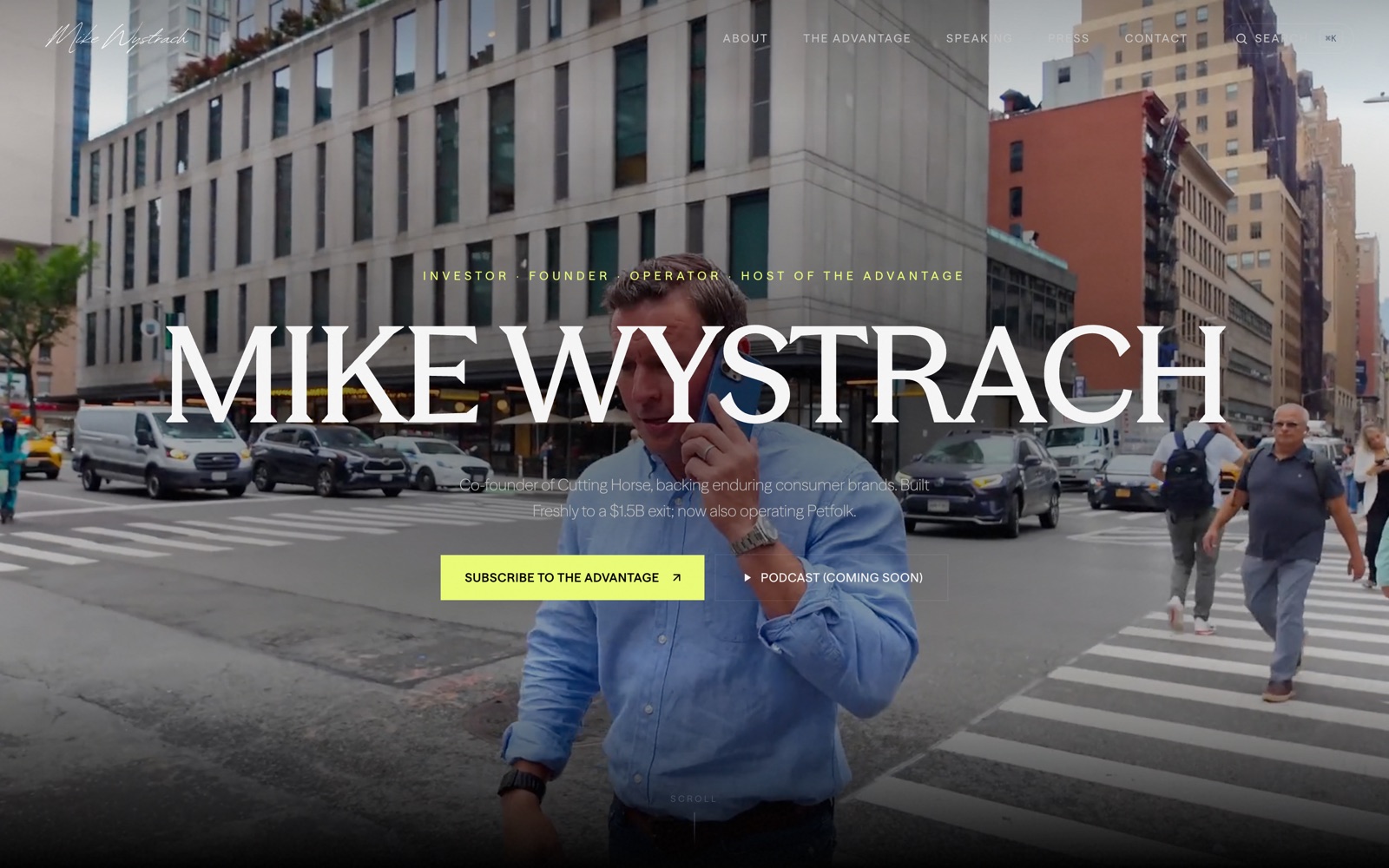
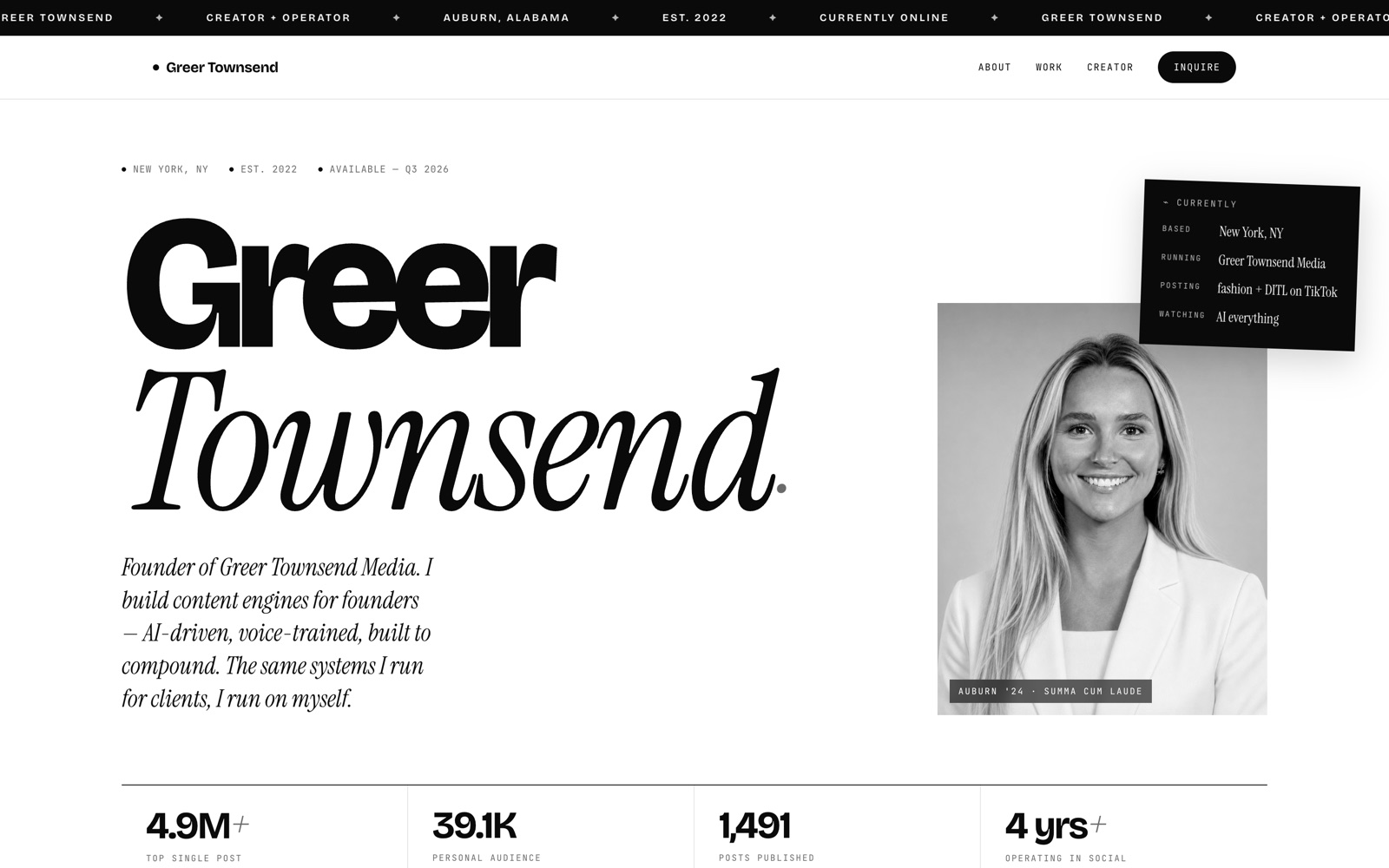
More on the websites I've built. Related: how to clean up your inbox with AI.
06Portfolio website mistakes to avoid
- Too many projects. Curating is part of the test.
- No results. "Social campaign" says nothing. "Social campaign, 2M views in 3 weeks" gets the call.
- Hidden contact info. Your email should be one tap away from anywhere.
- Placeholder text. If "lorem ipsum" is anywhere, it isn't finished.
- Not checking on a phone. That's where most people will open it.
- Letting it go stale. Update it every three months. Old numbers are worse than no numbers.
07FAQ
Do I need to know how to code to make a portfolio website?
No. Use a builder like Squarespace, Wix, Framer or Carrd, or describe what you want in plain English to an AI tool like Claude Code, which writes the code and publishes it for you.
How much does a portfolio website cost?
About $30 to $50 to build it yourself: $10 to $20 a year for a domain, plus a builder subscription or Claude Pro at $20 a month. Hosting can be free. Hiring a designer usually runs $1,000 to $3,000 or more.
What should I put on my portfolio website?
A header saying what you do, 3 to 6 of your best projects with their results, proof (numbers, logos, testimonials), a short about section with a photo, and an obvious contact button.
How many projects should a portfolio have?
Three to six. A short list of your strongest work reads as confident; a long one makes the reader do your editing.
How long does it take?
About an hour to gather your content and an afternoon to build and publish. A new domain can take a few extra hours to start working.
Can I make a portfolio website for free?
Almost. Hosting is free on Cloudflare Pages and many builders have free plans on a branded subdomain. A custom domain costs about $10 to $20 a year and is worth it.